
This is the print version of this page. All content is copyright Indezine.com 2000-2026.
Explore effects in Andrew's Plug-ins series 01 for Photoshop.
Author: Geetesh Bajaj
Product/Version: PowerPoint
Andrew's Plug-ins are a series of 19 Photoshop plug-in sets from Graphicxtras that add all sorts of amazing effects to your images. Each individual effect is a small application in itself and provides hundreds and thousands of combinations of values that you can experiment with to create your unique effects. If you like something, make sure you save a preset!
On this page, I'm showing you the default effects with no tweaking or customization done -- as all put together, these are hundreds of effects, I'm keeping the text narrative to a minimum -- let the pictures speak for themselves.
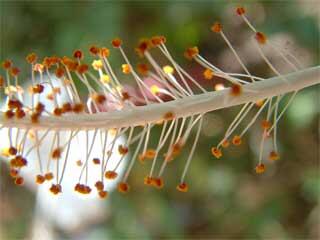
Original Picture
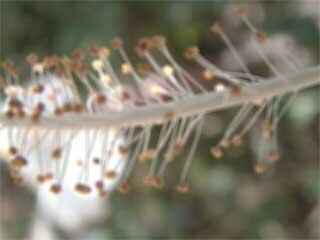
Figure 1: Blur - Fuzzy -- this provides a very customizable blur effect using a color mixing technique.
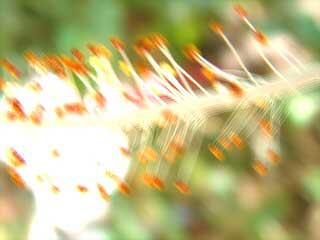
Figure 2: Blur - Shudder -- blurs the image with a shaky effect -- almost like a camera shake.
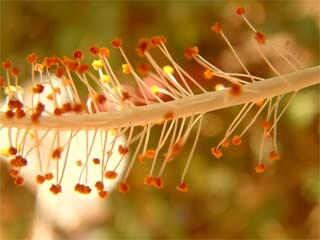
Figure 3: Color - Add -- overlays the selected color on the image.
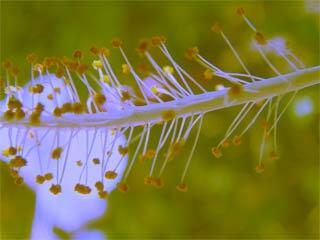
Figure 4: Color - Coloring set allows you to manipulate the color and color sliders to give a unusual effect.
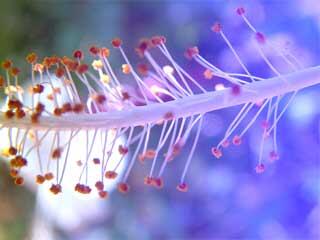
Figure 5: Color - Flow adds colors and gradient as overlay on the part of the image or on the entire image with different styles.
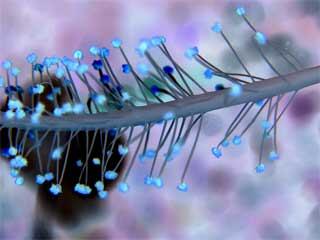
Figure 6: Color - Inversetime inverses the present color values with other color and allows to manipulate the color sliders.
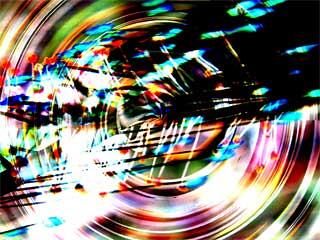
Figure 7: Color - Nightmares applies a unnatural color effect with styles like swirl and angle.
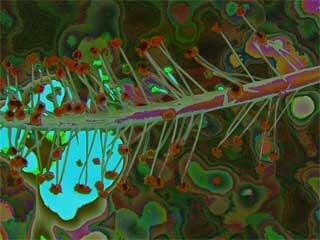
Figure 8: Color - Posterpaint posterizes the image with color effects.
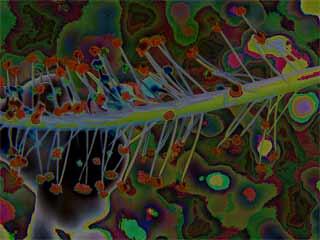
Figure 9: Color - Poster applies a posterized effect on the image.
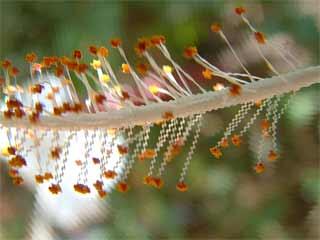
Figure 10: Distort - CuttingEdge distorts the image into different styles like radial, curve, diamond etc.
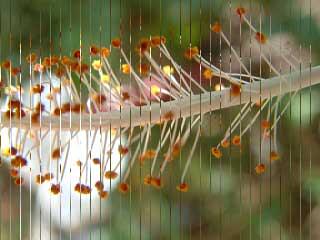
Figure 11: Distort - ShiftMesh applies a set of lines in a variety of patterns in combination with shifting the pixels.

Figure 12: Distort - SlicedTurn applies distorted cuts with effects like swirl, twirl etc.
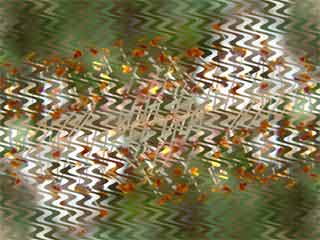
Figure 13: Distort - WavyCity convers the image into a wave, with choice of dozens of wave effects.
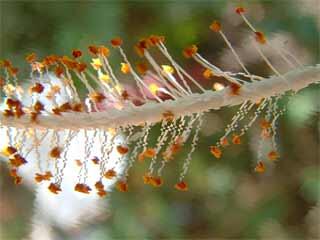
Figure 14: Distort - WavyCut applies different variations of waves.
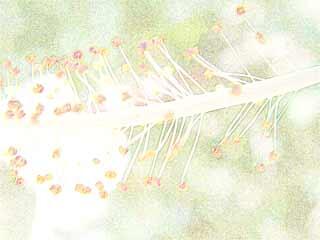
Figure 15: Edge - Edgeworks creates a sketch-type painted effect.
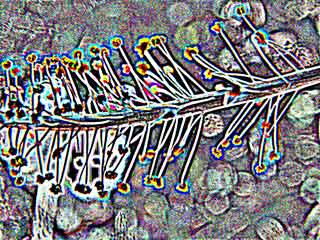
Figure 16: Edge - Edgy brings out the details of edge in different color values as you select them from the presets.
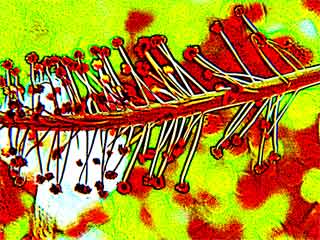
Figure 17: Edge - Edgy2 outputs a darker edgy detailing in different variations.
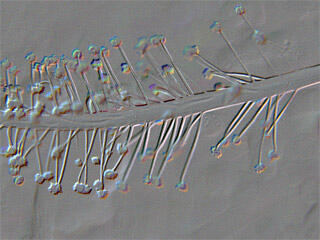
Figure 18: Edge - EmbossPic applies an emboss effect to the image -- many variations to choose from.

Figure 19: Lines - SilverLining generates lines on the image in various styles like vertical, horizontal, diagonal, etc.
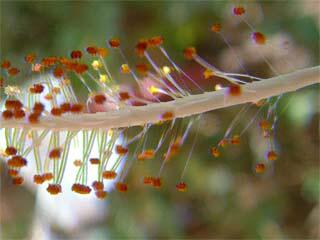
Figure 20: Noise - Gritty applies noise on the edges and on the image.
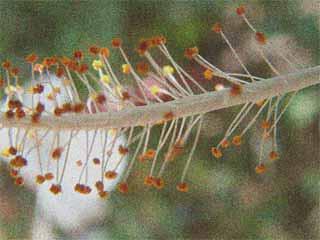
Figure 21: Noise - RandomTimes applies a grainy effect with many variations.
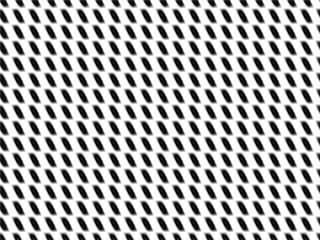
Figure 22: Pattern - Gridway applies a variety of grid pattern styles.
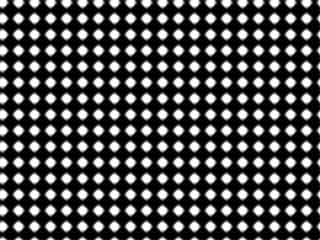
Figure 23: Pattern - Lightshow creates dotty pattern in styles like grains, cuts etc.
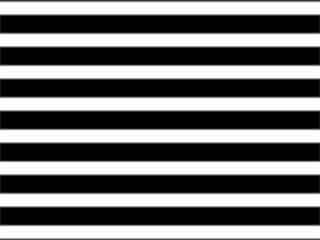
Figure 24: Pattern - OpArt generates various styles of black and white patterns.
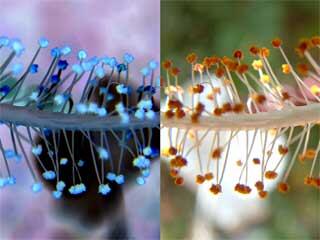
Figure 25: Utility - BothSides makes a mirror effect of the original image in inverted colors.
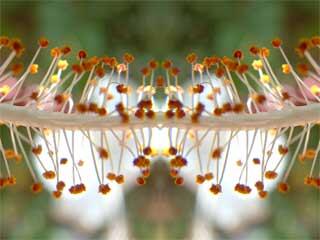
Figure 26: Utility - Reflections creates a seamless image reflection.
As you can see, most of these effects work best when combined over separate layers with blending modes although you could also use one of these all in itself as well.
To download a free demo, or to buy the product ($9), visit the Graphicxtras site.
| Photoshop Versions: | 6+ |
| Platforms: | Windows only |
| Site: | Graphicxtras |
| Price: | US$9 and above |
| Trial Version: | Demo plug-ins available |
You May Also Like: To Empower Others: Use the Four Cornerstones of Effective Feedback | World Regions PowerPoint Templates


Microsoft and the Office logo are trademarks or registered trademarks of Microsoft Corporation in the United States and/or other countries.
